Appearance
Service & Workflow Management
Services are the catalog of filings LN Services offers (Company Registration, Trademark, FSSAI, etc.) with their price and required documents. Each service can optionally have a Workflow — the ordered steps and checklist a case moves through.
Services
What it's for
Define what you sell: name, type, price, expected duration, the documents you'll need from the client, and the process steps shown to staff.
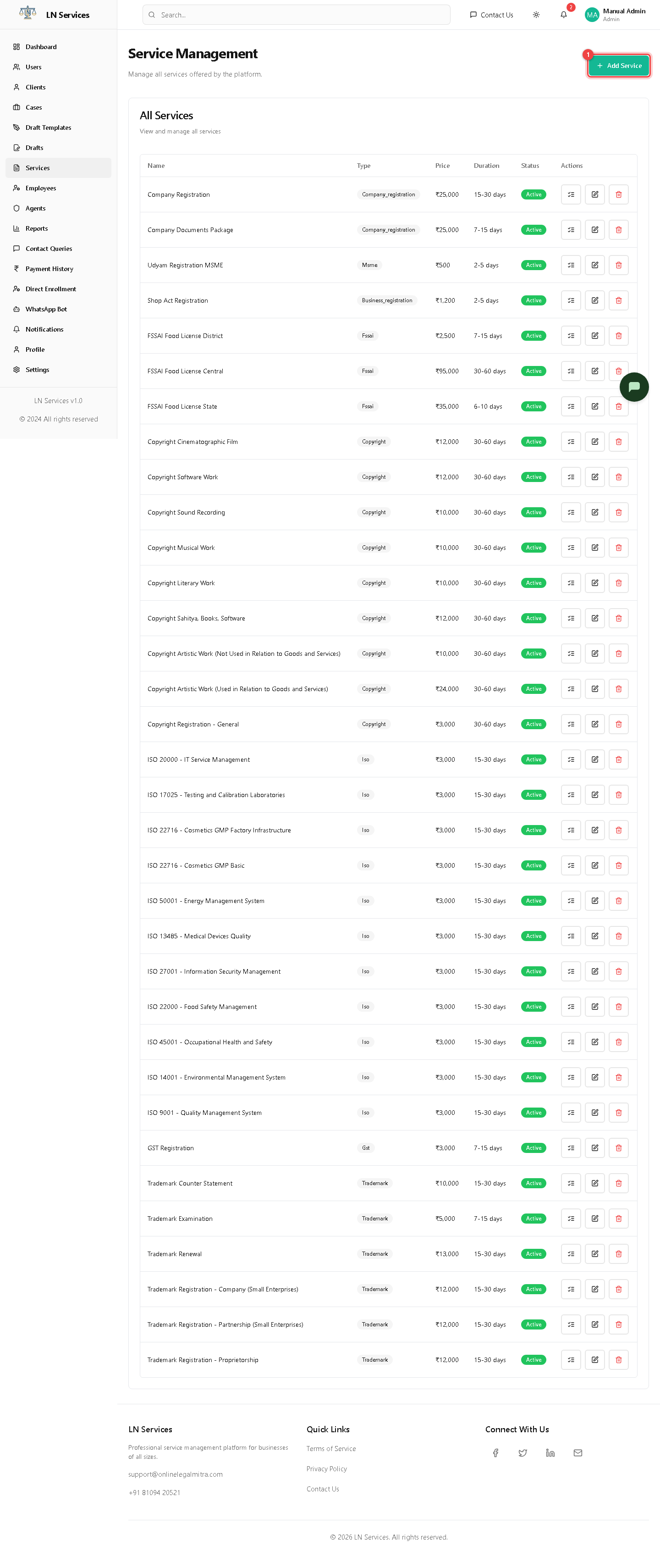
Steps: add a service
- Click ① Add Service.
- Fill in Name, Type, Description, Price, Duration.
- Add each required document and process step using the dynamic Documents Required / Process Steps lists.
- Save.
Steps: edit, delete, or design a workflow
Each row has three icon buttons: the checklist icon opens the Workflow Builder for that service, the pencil opens the same Add/Edit dialog pre-filled, and the trash deletes it after a confirmation.
Technical Notes
GET /api/admin/services, POST /api/admin/services, PUT /api/admin/services/:id, DELETE /api/admin/services/:id.
Workflow Builder
What it's for
Design the actual stage-by-stage process a case follows once a client is enrolled in a service — e.g. "Document Collection → Filing → Government Review → Certificate Issued" — each stage with its own checklist items and required documents.
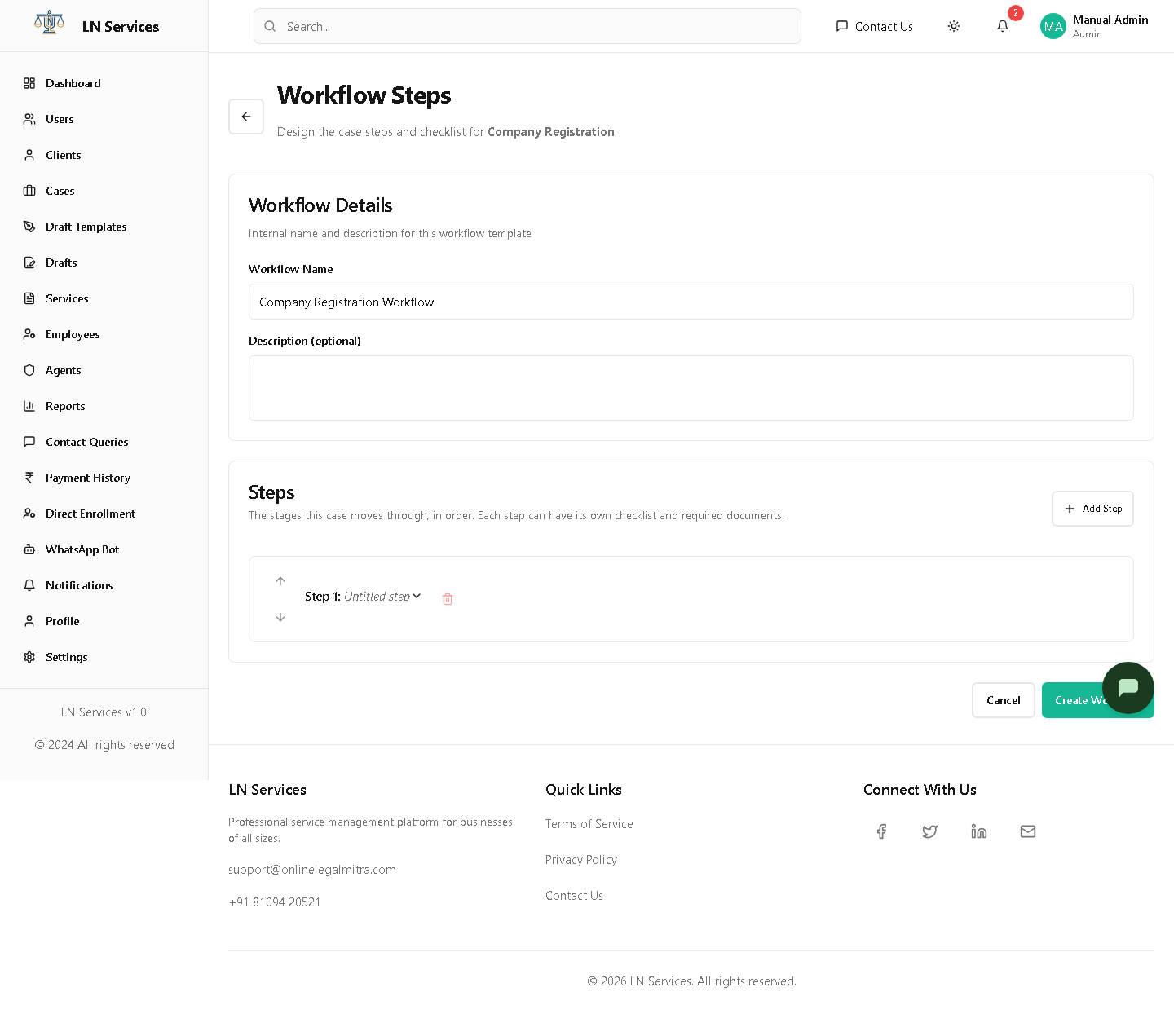
Steps
- Name the workflow and give it an optional description.
- Click Add Step for each stage; give it a title, expected duration, and description.
- Inside a step, use Add Item for checklist entries (optionally marked required) and Add Document for documents needed at that stage.
- Reorder steps with the up/down arrows.
- Click Create Workflow (or Save Changes if editing an existing one) to link it to the service. Unlink Workflow removes the link without deleting the template.
Technical Notes
GET /api/admin/services/:id to load context, PUT /api/admin/services/:id to set/clear the service's defaultWorkflowTemplateId. The actual template CRUD (GET/POST/PUT /api/admin/workflow-templates) lives in a separate workflowService.ts on the frontend, not adminService.ts — worth knowing if you're tracing this in code. Once a case is created against a service, its checklist progress is tracked per-case, independent of later edits to the template.