Appearance
Case Management
A Case is one client's enrollment in one service — e.g. "Rajnish Kumar's Company Registration." This is where the actual work of a filing gets tracked from new through to completed.
Case list
What it's for
See every case across every client, filter by status, bulk-assign unassigned cases to employees, and jump into any case's detail workspace.
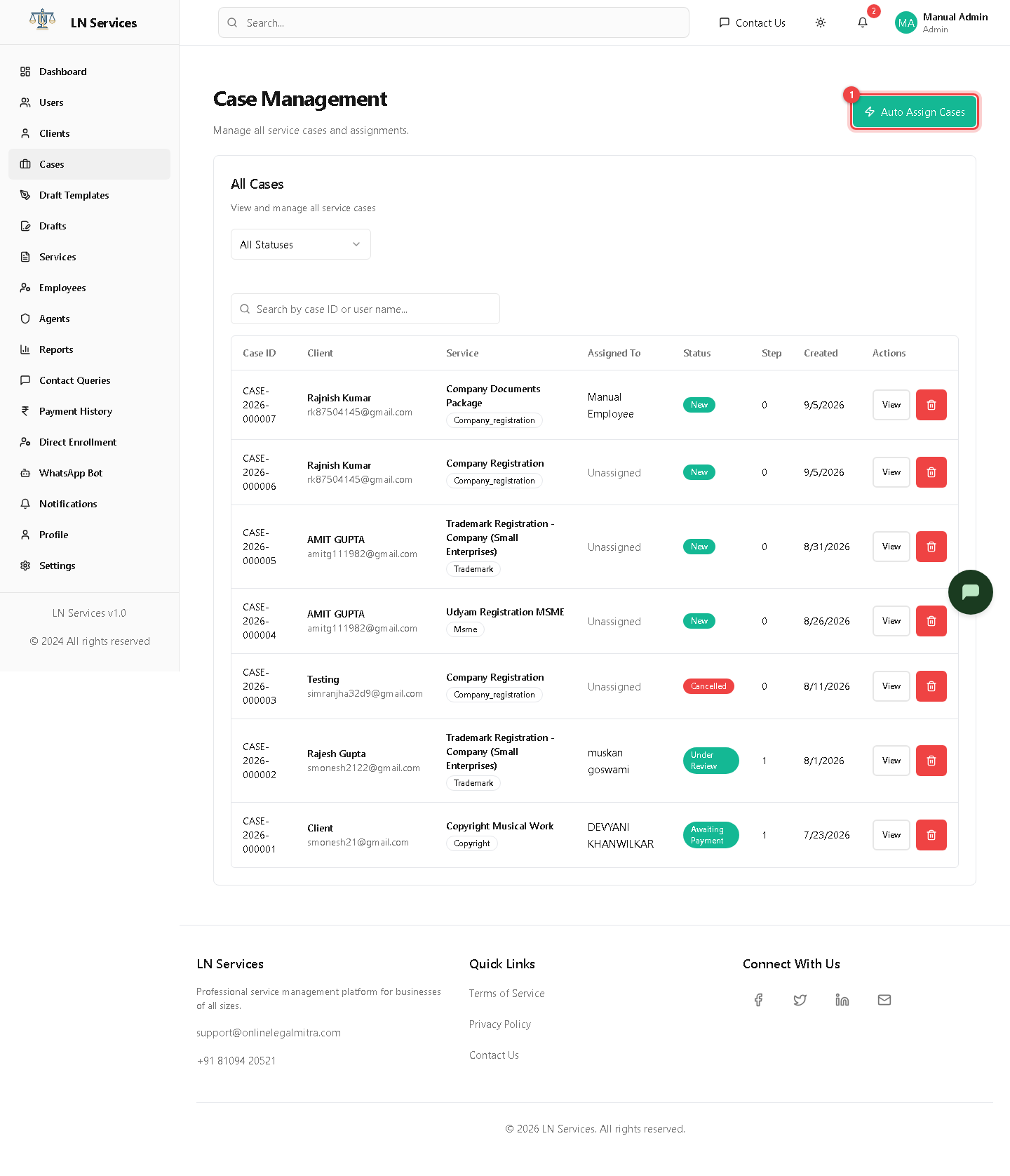
Steps: assign unassigned cases automatically
Click ① Auto Assign Cases — the system distributes any case sitting at "Unassigned" to employees based on workload and their assigned service modules (see Employees).
Steps: open a case
Click View on its row.
Technical Notes
GET /api/admin/cases (filterable by status, searchable by case ID or client name). Bulk assignment: POST /api/admin/cases/auto-assign. Delete: DELETE /api/admin/cases/:id.
Case details
What it's for
The full workspace for one case: who it's assigned to, billing, required documents, checklist/progress, drafts, payments, and a running note/activity history.
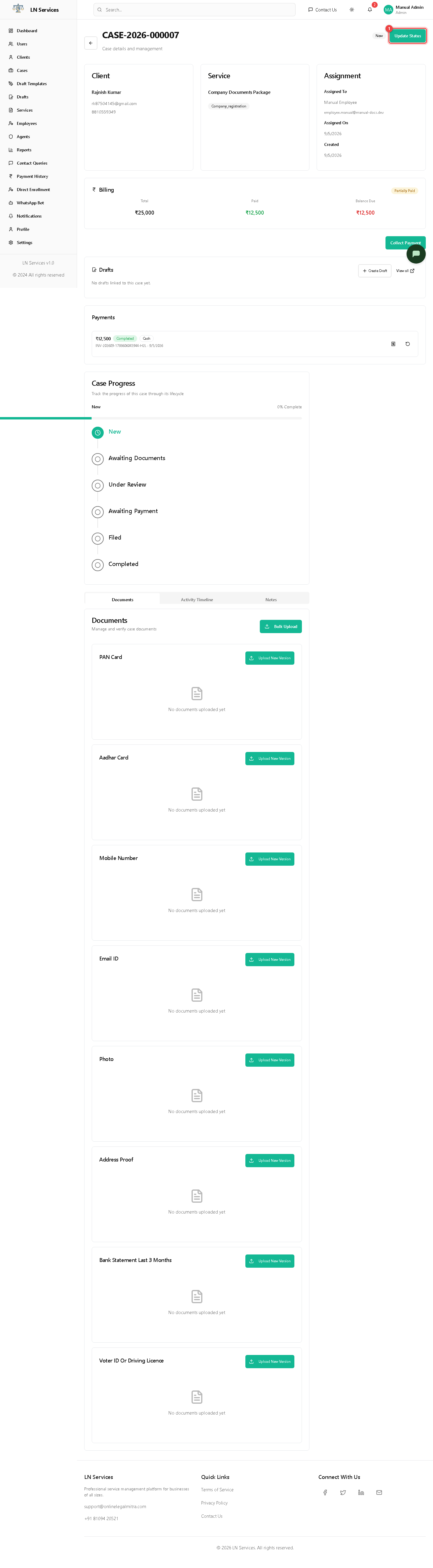
Steps: move a case forward
- Click ① Update Status, pick the next valid status (only legal next-steps are offered, e.g. New → Awaiting Documents → Under Review → In Progress → Filed → Completed), optionally add a note, and confirm.
- To assign or reassign, use the employee dropdown in the Assignment card — this saves immediately, no separate button.
- Click Collect Payment to record a payment against this case's balance.
- Use Bulk Upload to attach multiple documents at once, or the Documents tab for individual files.
- Use Create Draft to start a data-collection form for this case (see Draft System), or Add Note to leave an internal note visible in the Notes tab.
Technical Notes
GET /api/admin/cases/:id, GET /api/admin/cases/:id/required-documents. Status change: PUT /api/admin/cases/:id/status (server validates the transition against CASE_STATUS in utils/constants.js — you can't skip straight from New to Completed). Assignment: PUT /api/admin/cases/:id/assign. Notes: POST /api/admin/cases/:id/notes. The Case model holds running billing totals (total/paid/balance); each Payment document is just a receipt against it — there's no separate Invoice entity.