Appearance
Payments & Commission
Enrollment History
What it's for
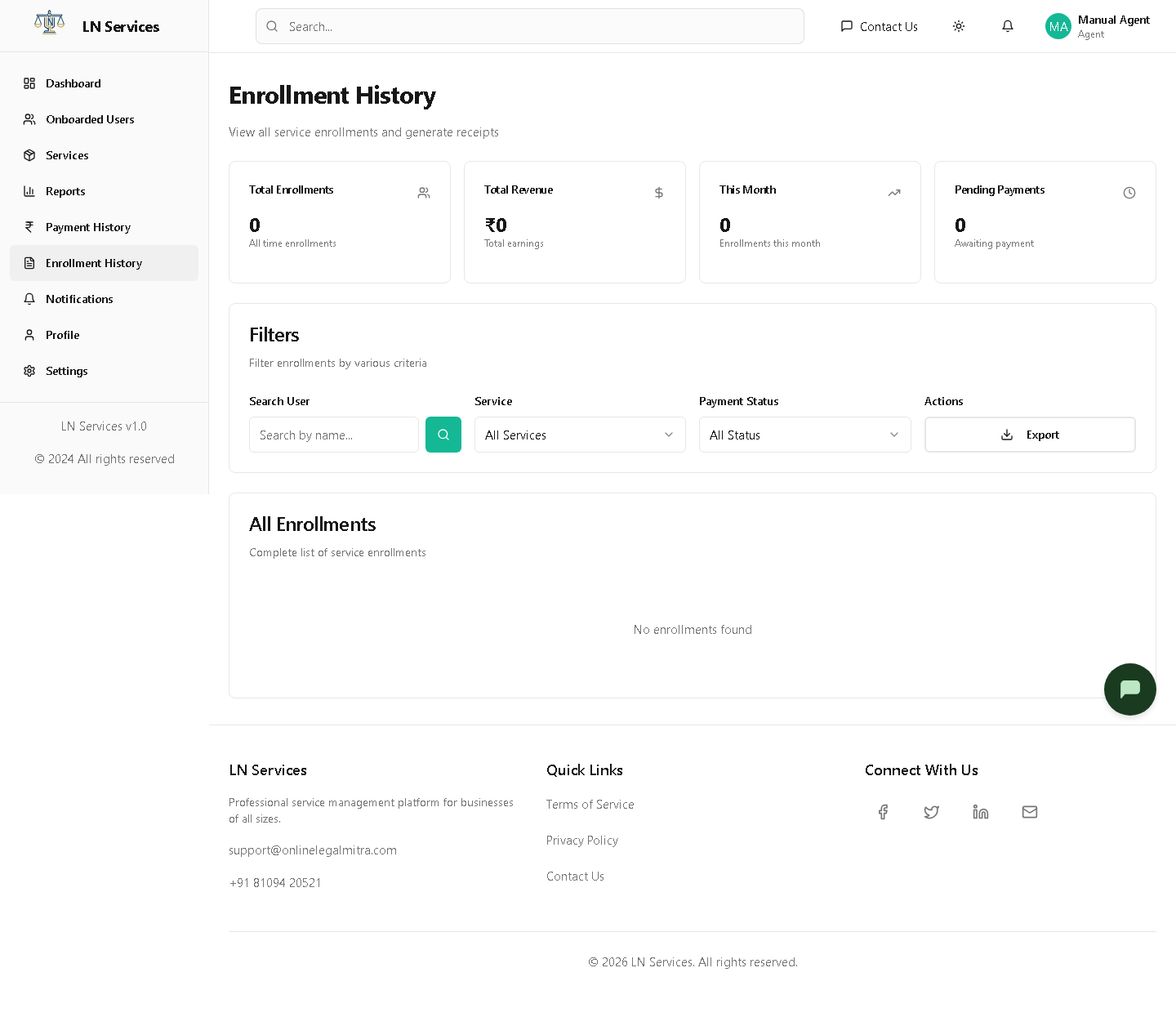
The real ledger of every enrollment you've processed — this is where "Enrolled Services History" on the enroll screen should send you, since that widget isn't wired up yet.
Steps
Filter by client name, service, or payment status, click Export for a CSV, or Receipt on a row to view/print it.
Technical Notes
GET /api/agent/enrollments.
Reports
What it's for
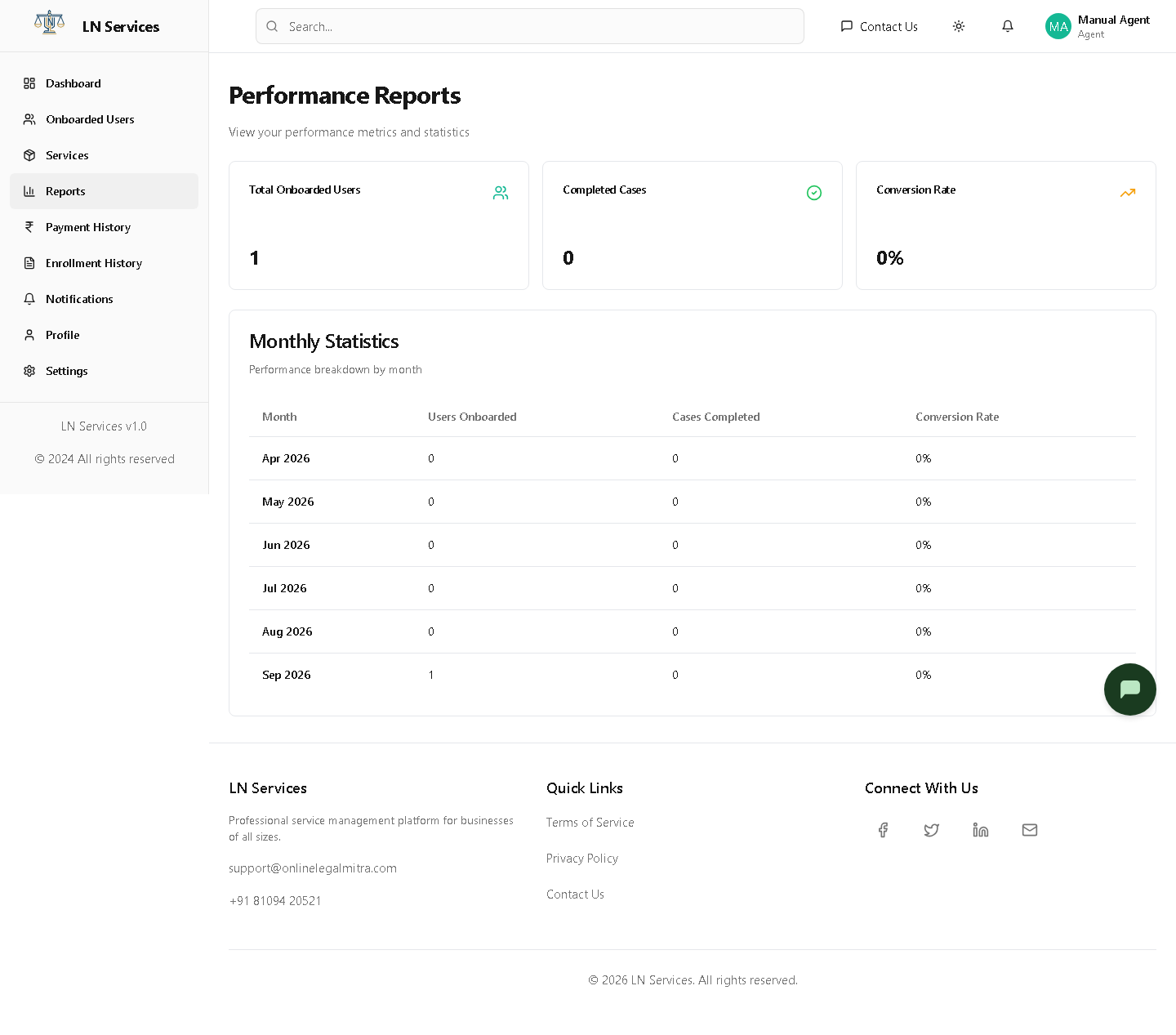
Your performance over time — onboarded users and completed cases, broken down by month.
Technical Notes
GET /api/agent/reports — conversion rate is computed client-side from the returned monthly counts.
Payment History & Commissions
What it's for
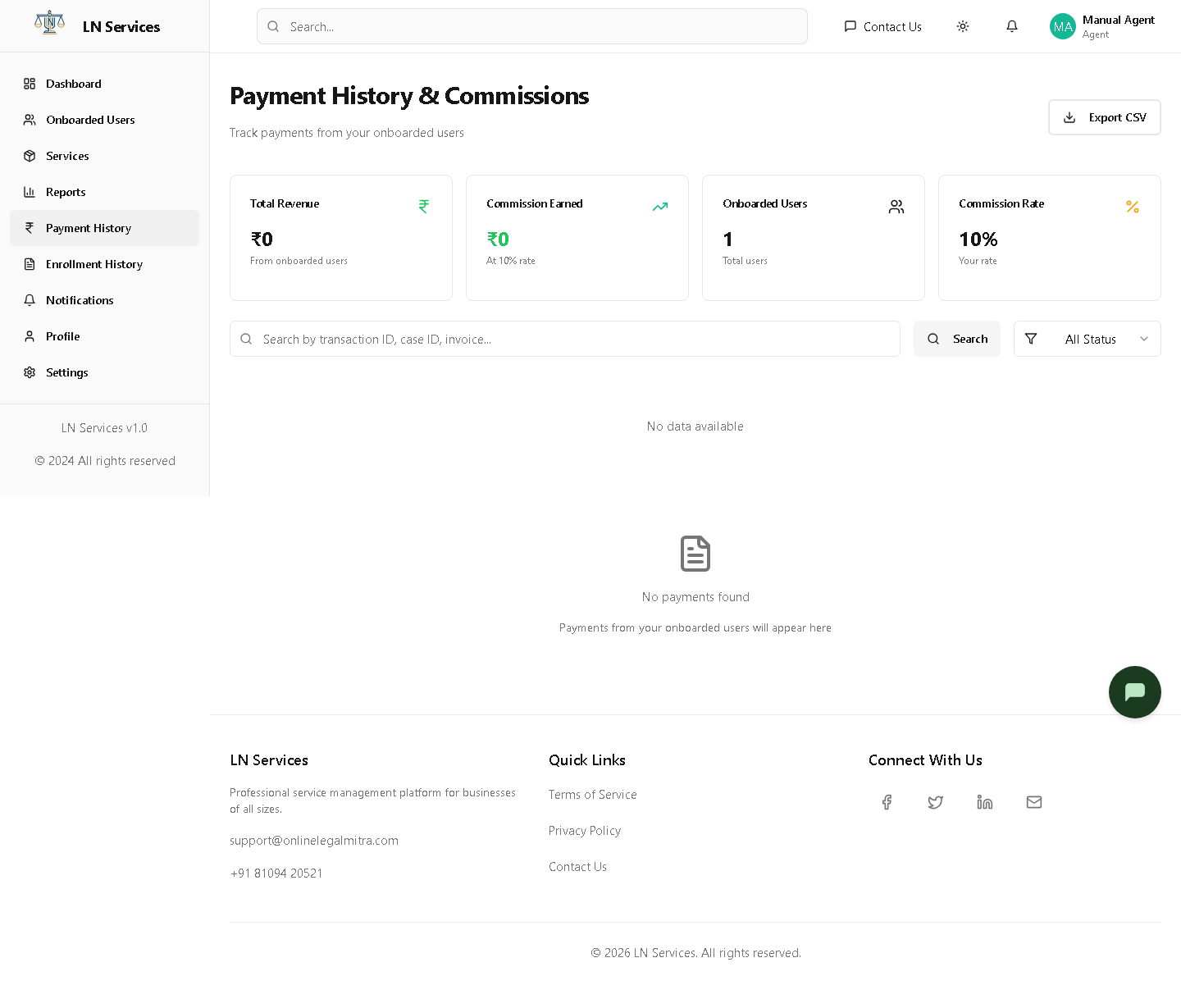
Every payment from a client you enrolled, plus what you earned on it at your commission rate.
Steps
Use the Status filter or search box, Export CSV, or click Receipt on a row.
Technical Notes
GET /api/payment/history, GET /api/payment/analytics, GET /api/payment/export — shared payment endpoints, scoped server-side to your enrollments. Commission is calculated client-side from your User.commissionRate field (set by Admin under Agent Management) applied to each payment amount — it is not stored per-payment.