Appearance
Client Onboarding
Onboarded Users
What it's for
Everyone you've personally onboarded, with their case status and a one-click path to enroll them in a service.
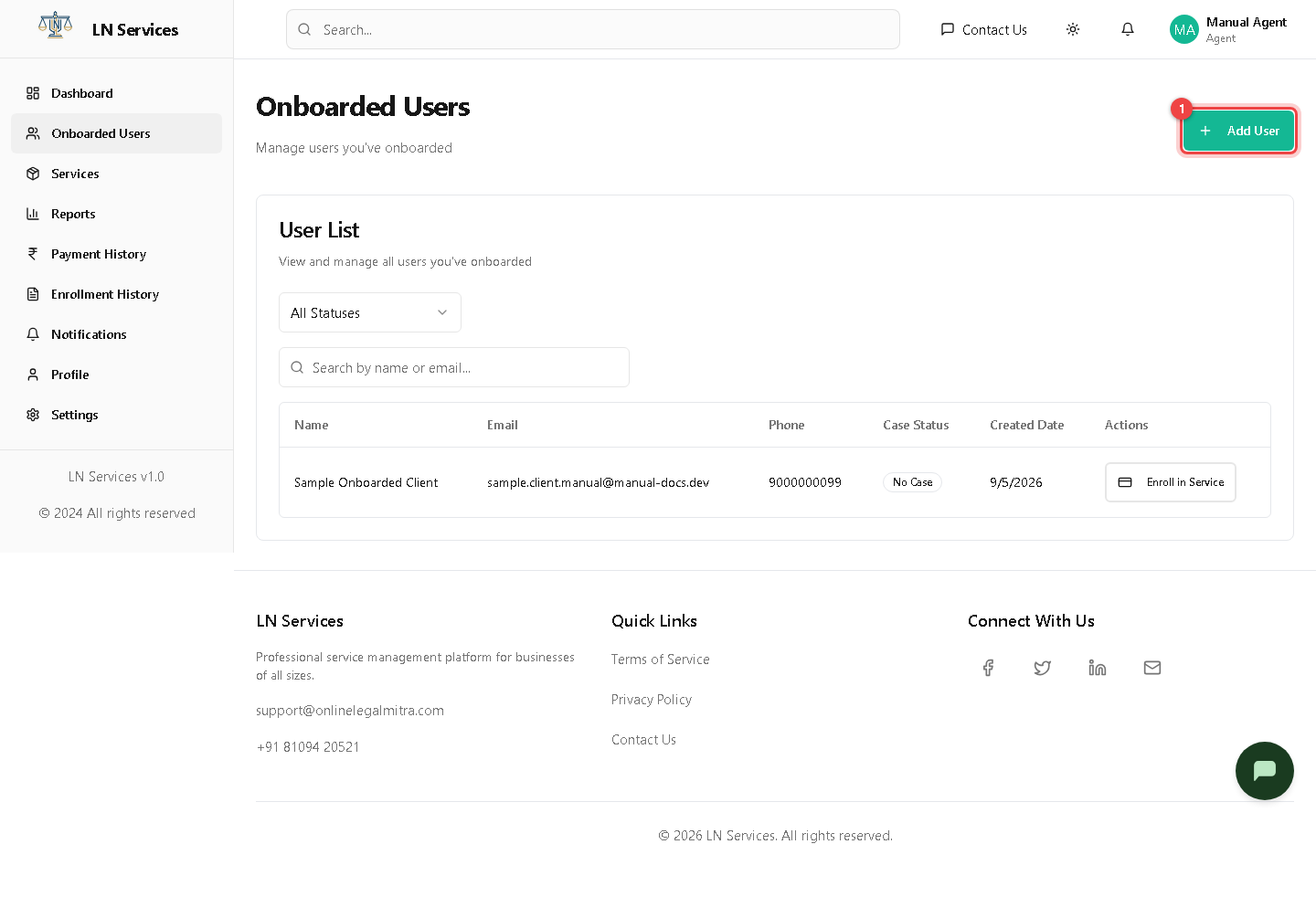
Steps: onboard a new client
Click ① Add User.
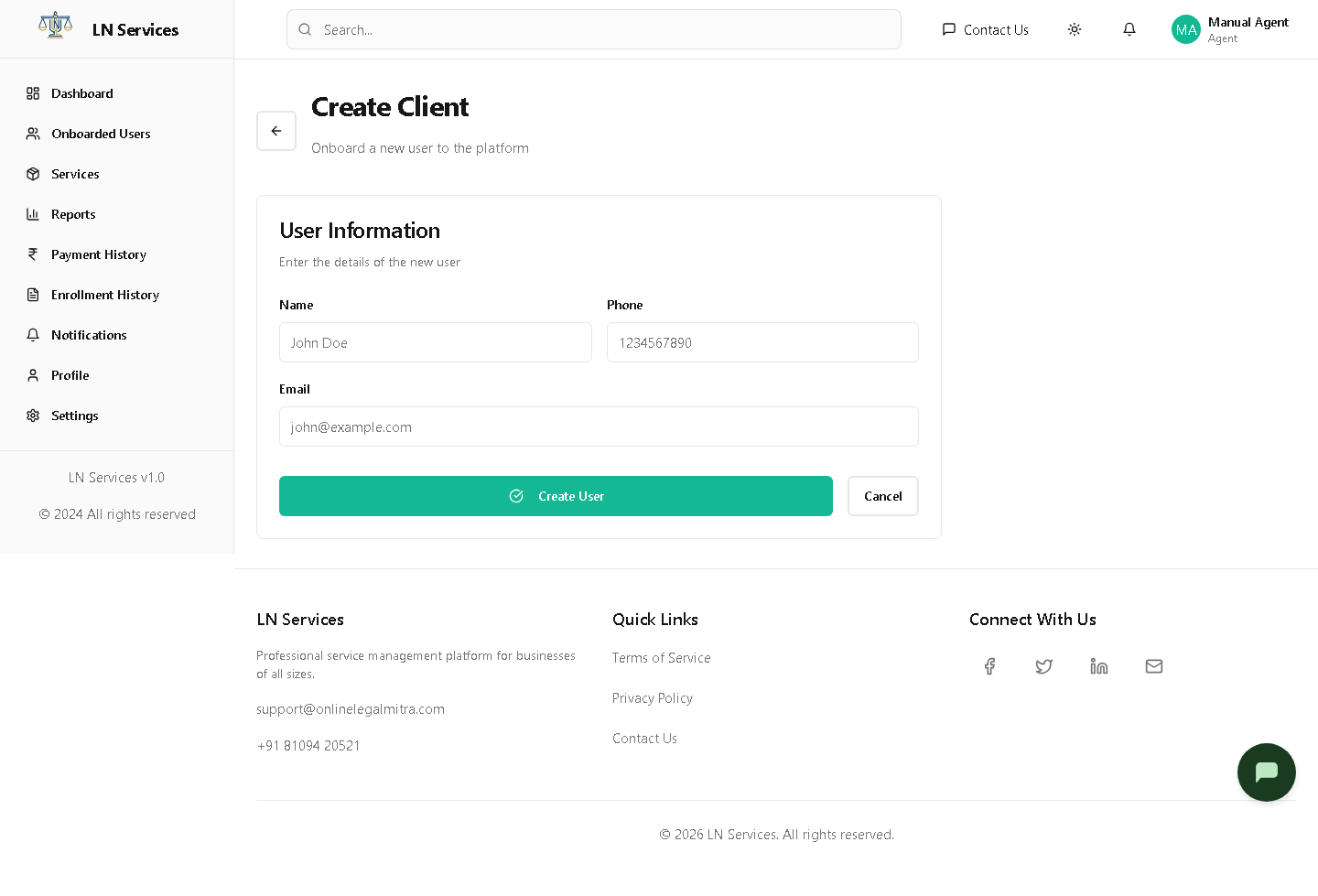
Fill in Name, Phone, Email and click Create User. Notice this step is deliberately just identity — you don't pick a service here. The client receives an email to set their own password; you never see or set it. Once created, click Enroll in Service on their row to actually sign them up for something (see Services & Enrollment).
Technical Notes
GET /api/agent/users, POST /api/agent/users. Enrollment is a deliberately separate step from onboarding — this lets you onboard a client today and enroll them (with payment) whenever they're ready.
Known issue: there's an unlinked /agent/users/:id detail route (UserDetails.tsx) that nothing in this list currently navigates to — but if you ever land on it, it calls adminService.getUser(id) (GET /api/admin/users/:id), which is restricted to the admin role, so an Agent always gets "User not found" there. Not reachable through normal use today, but worth knowing if you're tracing this in code.